Top
0
Skip to Content
Paraphrase Communications
Work With Us
— Message to Money
— Core Copy
— Copy + Conversion Concierge
— Power Hours
What Clients Say
Work
Re:word
Guides, Workshops + Courses
Tiny Tutorials
About
Contact
Paraphrase Communications
Work With Us
— Message to Money
— Core Copy
— Copy + Conversion Concierge
— Power Hours
What Clients Say
Work
Re:word
Guides, Workshops + Courses
Tiny Tutorials
About
Contact
Folder: SERVICES
Back
Work With Us
— Message to Money
— Core Copy
— Copy + Conversion Concierge
— Power Hours
What Clients Say
Work
Folder: RESOURCES
Back
Re:word
Guides, Workshops + Courses
Tiny Tutorials
About
Contact
Tiny Tutorial: Browser Tricks for Websites (Copy)
Title slide of a tutorial video with a blue background, titled 'Tiny Tutorial: Voice Typing in Google Docs' with a small logo reading 'paraphrase Communications' in the bottom right corner.
Screenshot of a tutorial presentation titled 'Tiny Tutorial: Working with Images in MS Word' by Paraphrase Communications, with a play button in the center.
Title slide of a tutorial video on creating good-looking layouts in Microsoft Word, presented by Paraphrase Communications.
Title slide for a tutorial video titled "Tiny Tutorial: Protect Yourself While Working Online" by Paraphrase Communications.
Title slide of a video tutorial saying 'Tiny Tutorial: One Password to Rule Them All' with Paraphrase Communications logo in the bottom right corner.
Title slide for a tutorial on removing suggested videos at the end of YouTube videos, by Paraphrase Communications.
Title slide of a tutorial video titled 'Tiny Tutorial: Using Google for Reverse Image Search' by Paraphrase Communications.
A slide from a tutorial presentation titled 'Tiny Tutorial: How to Save Time with Video Playback Speed Control' by Paraphrase Communications.
Title slide of a tutorial video titled "Tiny Tutorial: Combining Lists in MailChimp" with Paraphrase Communications logo at the bottom right.
Screenshot of a tutorial slide titled "Tiny Tutorial: Make a Google Doc Easier to Navigate" by Paraphrase Communications.
Title slide of a tutorial presentation titled 'Tiny Tutorial: How to Make Headlines Stronger' from Paraphrase Communications on a blue background.
Slide titled 'Tiny Tutorial: Simple Design Tricks to Spruce Up Word and Google Docs' with Paraphrase Communications logo at the bottom right corner. View fullsize
Title slide of a tutorial video on creating good-looking layouts in MS Word by Paraphrase Communications View fullsize
Title slide of a tutorial video about recording screencasts, with text 'Tiny Tutorial: Two Free & Easy Ways to Record Screencasts' and the Paraphrase Communications logo. View fullsize
Title slide for a tutorial on creating a visual map of a customer's journey by Paraphrase Communications. View fullsize
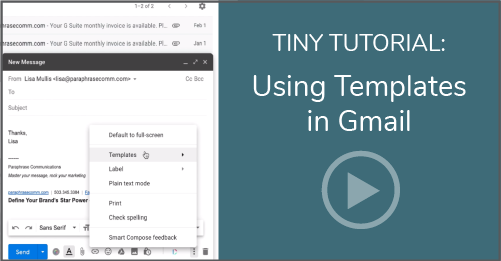
Tiny Tutorial: Gmail Templates (Copy)
View fullsize
Tiny Tutorial: Browser Tricks for Websites (Copy)
Title slide of a tutorial video with a blue background, titled 'Tiny Tutorial: Voice Typing in Google Docs' with a small logo reading 'paraphrase Communications' in the bottom right corner.
Screenshot of a tutorial presentation titled 'Tiny Tutorial: Working with Images in MS Word' by Paraphrase Communications, with a play button in the center.
Title slide of a tutorial video on creating good-looking layouts in Microsoft Word, presented by Paraphrase Communications.
Title slide for a tutorial video titled "Tiny Tutorial: Protect Yourself While Working Online" by Paraphrase Communications.
Title slide of a video tutorial saying 'Tiny Tutorial: One Password to Rule Them All' with Paraphrase Communications logo in the bottom right corner.
Title slide for a tutorial on removing suggested videos at the end of YouTube videos, by Paraphrase Communications.
Title slide of a tutorial video titled 'Tiny Tutorial: Using Google for Reverse Image Search' by Paraphrase Communications.
A slide from a tutorial presentation titled 'Tiny Tutorial: How to Save Time with Video Playback Speed Control' by Paraphrase Communications.
Title slide of a tutorial video titled "Tiny Tutorial: Combining Lists in MailChimp" with Paraphrase Communications logo at the bottom right.
Screenshot of a tutorial slide titled "Tiny Tutorial: Make a Google Doc Easier to Navigate" by Paraphrase Communications.
Title slide of a tutorial presentation titled 'Tiny Tutorial: How to Make Headlines Stronger' from Paraphrase Communications on a blue background.
Slide titled 'Tiny Tutorial: Simple Design Tricks to Spruce Up Word and Google Docs' with Paraphrase Communications logo at the bottom right corner.
Title slide of a tutorial video on creating good-looking layouts in MS Word by Paraphrase Communications
Title slide of a tutorial video about recording screencasts, with text 'Tiny Tutorial: Two Free & Easy Ways to Record Screencasts' and the Paraphrase Communications logo.
Title slide for a tutorial on creating a visual map of a customer's journey by Paraphrase Communications.
pc-websitefooter-logo.png

Get weekly resources and ideas to improve your messaging, marketing, and business mindset.

We respect your privacy.

Thank you!

Copyright © date. Paraphrase Communications, LLC. All Rights Reserved. Privacy Policy | Disclaimer | Terms and Conditions